React Tailwind Forgot Password Page Template
A Forgot Password page is an essential part of any authentication system. It allows users to reset their password by entering their email. This article provides a simple and well-structured Forgot Password page template using React, TypeScript, and Tailwind CSS.
Features of the Forgot Password Page
This template includes the following features:
- Email Input with Error Handling – Users must enter a valid email; otherwise, an error message appears.
- Loader in Button – When the form is submitted, a loading spinner appears on the button.
- Success Message – After a successful request, a confirmation message is displayed.
- Back to Login Button – Users can navigate back to the login page.
Preview of Forgot Password Page
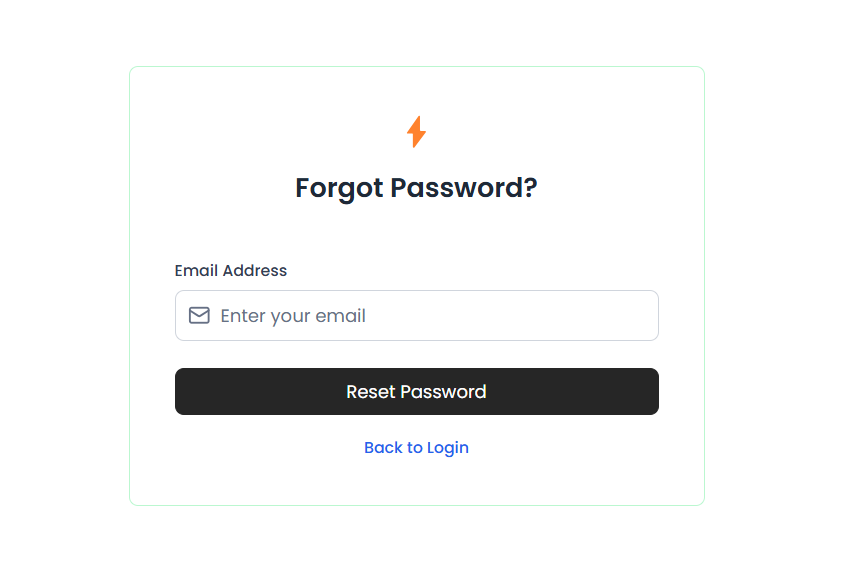
Tailwind Forgot Password Page Component
Dependencies
Install the required packages:
lucide-reactfor icons
1npm install lucide-react
How to make this template modular
By creating reusable components we can keep the template modular and maintainable :
- DummyLogo Component – A placeholder for a logo.
- Input Component – A customizable input field with an error state and an optional icon.
- Button Component – A button that supports loading states.
- Lucide React Icons – Icons from the
lucide-reactlibrary (e.g.,Mail,LoaderCircle).
Get the templates for Login and Signup auth pages, built with the same best practices.